



Creating automated pipelines
Turn your post workflow into a system that can progress work automatically.
This guide shows you how automation works in Lead the WAi during the current RunWAi rollout. The current rollout focuses on the Post resource, allowing you to build structured content workflows using AI assignment and automation rules.
The goal is not to automate everything immediately. The goal is to create a predictable flow where posts move cleanly between drafting, composition, review, scheduling, and publishing.
Before you begin
Before adding automation, make sure your post workflow already works manually.
You should already have:
- A clear folder structure.
- Useful post descriptions and context.
- Statuses that reflect the real stage of the post.
- An understanding of who reviews and approves content.
Automation works best when the structure already makes sense without automation.
Post statuses
Lead the WAi currently supports these post statuses:
- Draft
- Researched
- Composed
- Finalized
- Scheduled
- Approved
- Published
- Pending Approval
- Failed
Each status should represent a real stage in the workflow. Avoid skipping statuses or using them inconsistently, otherwise automation and AI progression become harder to trust.
The two automation methods
Lead the WAi currently has two main automation systems:
- Assigning posts or folders to AI.
- Creating automation rules.
These systems work together.
Assigning AI progresses work.
Automation rules route and organise work after statuses change.
Assign a post to AI
Open a post object and assign it to an AI assistant.
When assigning AI, you choose:
- Which AI should handle the post.
- Which desired status the AI should progress the post toward.
The desired status acts as the stopping point.
For example:
If a Draft post is assigned to AI with desired status set to Composed, the AI will compose the post and stop once the post reaches Composed.
This allows you to control how far AI progresses work without fully automating the entire publishing pipeline.
A common current rollout workflow is:
Draft -> AI progresses to Composed -> human review -> Approved -> Scheduled -> Published
Assign a folder to AI
You can also assign an entire folder to AI instead of assigning posts individually.
This allows the AI to monitor and progress posts inside that folder automatically.
For example:
A folder may contain Draft posts waiting to be composed. If the folder is assigned to AI with desired status set to Composed, any posts added to that folder can be progressed by the AI until they reach Composed.
This is useful when building repeatable content pipelines where new posts are continuously added to the same workflow.
Folders become production queues rather than simple organisation containers.
Use automation rules to route posts
AI assignment progresses posts. Automation rules control what happens after statuses change.
Automation rules are configured in the Post resource settings, which you can access from the Library page.
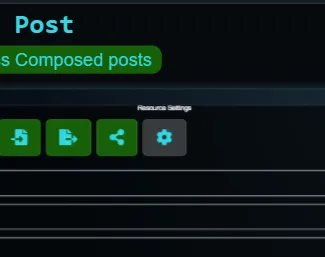
Current trigger types include:
- On Status Change
- On Object Creation
- On Schedule
Automation rules can then perform actions automatically when those triggers occur.
For example:
When a post changes to Composed, move it into a Review folder.
This creates a clean handoff between AI composition and human review.
A simple pipeline may look like this:
- AI composes the post until it reaches Composed.
- An automation rule moves the post into a Review folder.
- A reviewer finalises and approves the post.
- Another automation rule moves Approved posts into a Scheduled folder.
This keeps work flowing without requiring people to manually reorganise every post.
Keep automation stages simple
The best automation pipelines are usually small and predictable.
Good early automations include:
- Moving posts between folders when statuses change.
- Setting values automatically.
- Routing completed posts into review queues.
- Separating AI-generated posts from approved posts.
Avoid trying to automate the entire publishing process immediately.
A clean workflow with clear review stages is more reliable than a large automation system with unclear behaviour.
Use folders as workflow stages
In Lead the WAi, folders can act as workflow stages rather than just storage locations.
For example:
- A Draft Ideas folder.
- An AI Composition folder.
- A Human Review folder.
- A Scheduled Content folder.
- A Published Content folder.
This makes the Library easier to scan because the structure itself reflects the publishing pipeline.
Combined with AI assignment and automation rules, folders become active workflow queues.
Review AI-generated posts before publishing
AI progression is designed to assist the workflow, not replace oversight.
Before publishing, review:
- The accuracy of claims.
- Brand tone and messaging.
- Formatting and structure.
- Links, media, and attachments.
- Whether the post actually matches the intended audience.
AI can accelerate composition, but the publishing workflow should still include human review and approval.
Monitor and refine the pipeline
Once the workflow is active, review it regularly.
Look for signs such as:
- Posts getting stuck in one status.
- Folders filling faster than they are cleared.
- AI-generated posts repeatedly needing the same corrections.
- Statuses being skipped or used inconsistently.
- Posts reaching Failed unexpectedly.
Refinement is normal. Most workflows improve gradually as the team learns where automation is genuinely useful.
A good automation pipeline should reduce repetitive coordination work while keeping the publishing process clear and predictable.
Automation checklist
- Posts have clear statuses.
- Folders reflect real workflow stages.
- AI desired statuses are used intentionally.
- Automation rules route posts between stages.
- Human review exists before publishing.
- AI progression and automation are predictable.
- The workflow works manually before expanding automation further.
Read next: Refining your system
Continue to Refining your system.